Fighting game UI · Personal study · In progress
Nápoles by Night
The interface of a dark, noir fighting game where old magic and mafia violence meet
- Role
- Game UI Designer
- Type
- Personal study
- Year
- 2026
- Status
- In progress
Tags: Game UI, HUD, UX Research, Design System
Overview
Nápoles by Night is a personal study: a fighting game concept developed through its interface.
The goal was a dark, noir atmosphere, the kind found in gothic horror films and mafia stories, inside a genre known for frantic matches.
References
Games like Bloodborne and Deadlock, where old magic and violence meet in dark places. In Nápoles by Night, that clash is a fight for control of the mafia.
My role
I did the whole study: the research, the personas, the moodboard and the visual components. AI only helped me organize the Figma files and variables; the design decisions are all mine.
Research
Five fighting games, taken apart
I started by analysing five fighting games: I marked every HUD element on their screens and wrote down what works and what doesn't. The numbers on each note point to the spot on its screen.
Street Fighter 6
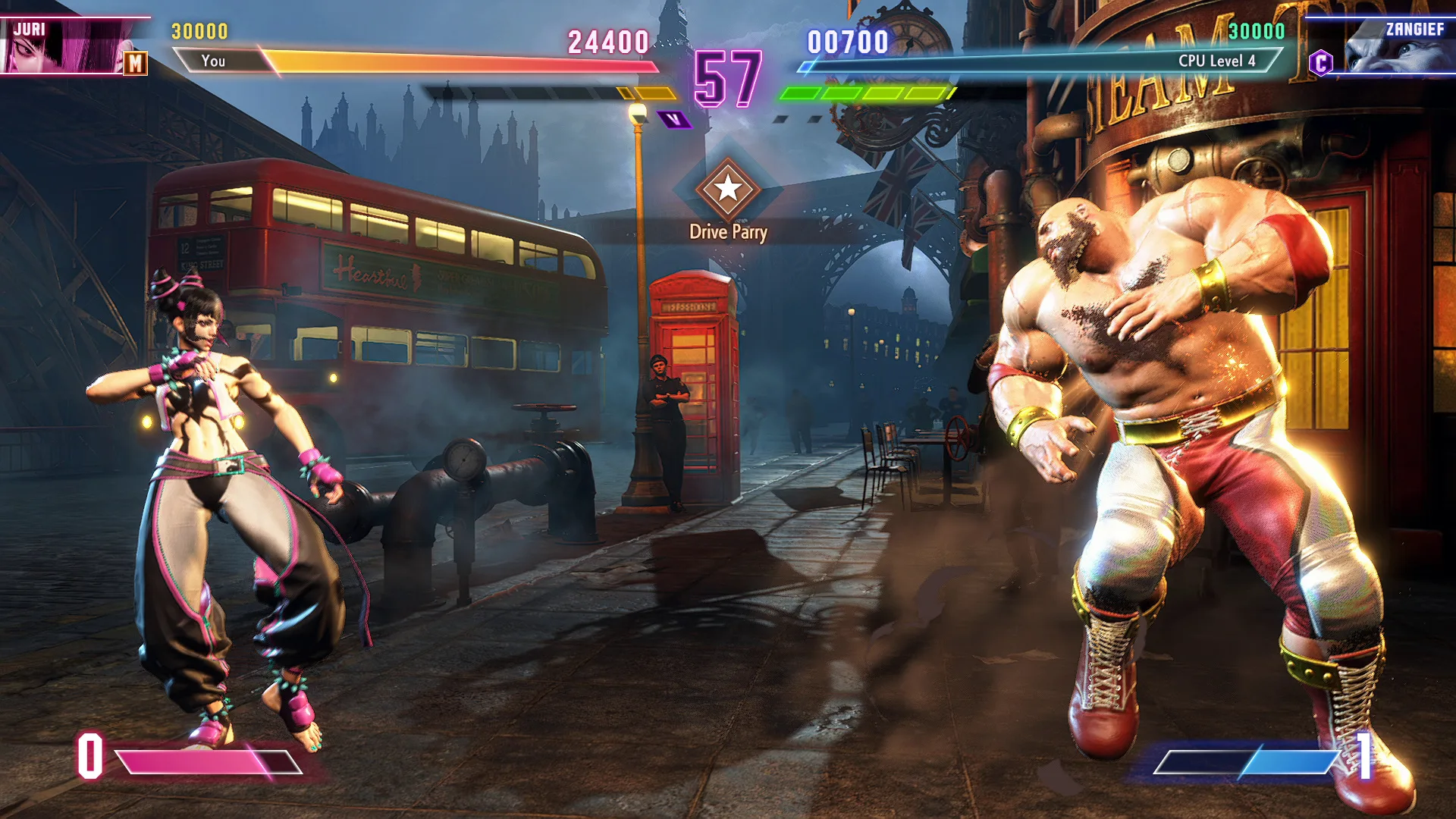
- Works: Clean HUD, readable even in heavy action
- Works: The segmented Drive Gauge reads at a glance
- Works: HUD position and colors can be customized
- Doesn't work: Drive, Super, health and timer at once can intimidate beginners
- Doesn't work: Menu type breaks from the arcade style of the HUD
Guilty Gear Strive
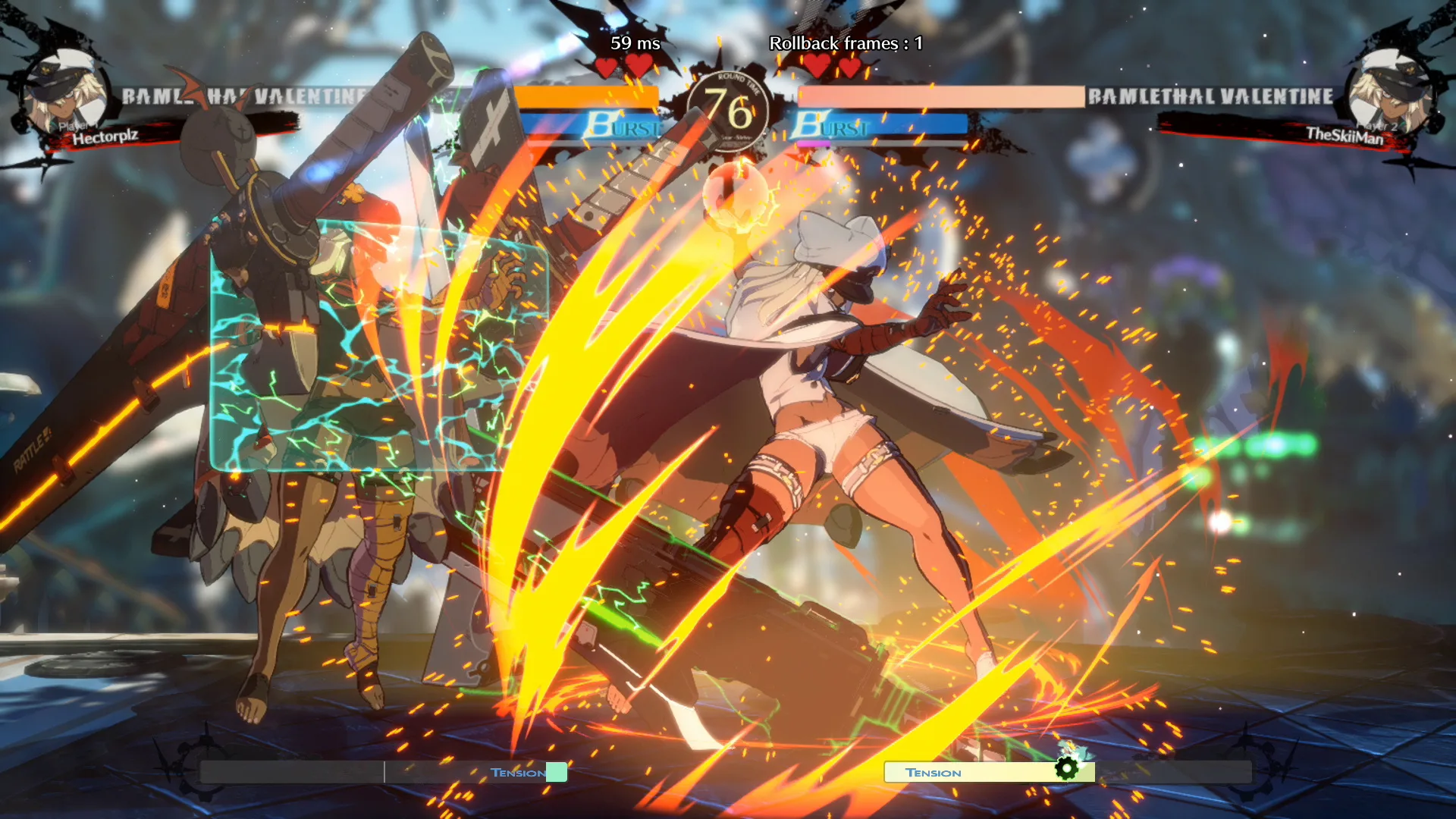
- Works: One art direction across HUD, menus and character select
- Works: The round counter reads as a life
- Doesn't work: Particles in long combos hide the health bar
- Doesn't work: Burst available and Burst spent look almost the same
Marvel vs. Capcom 3
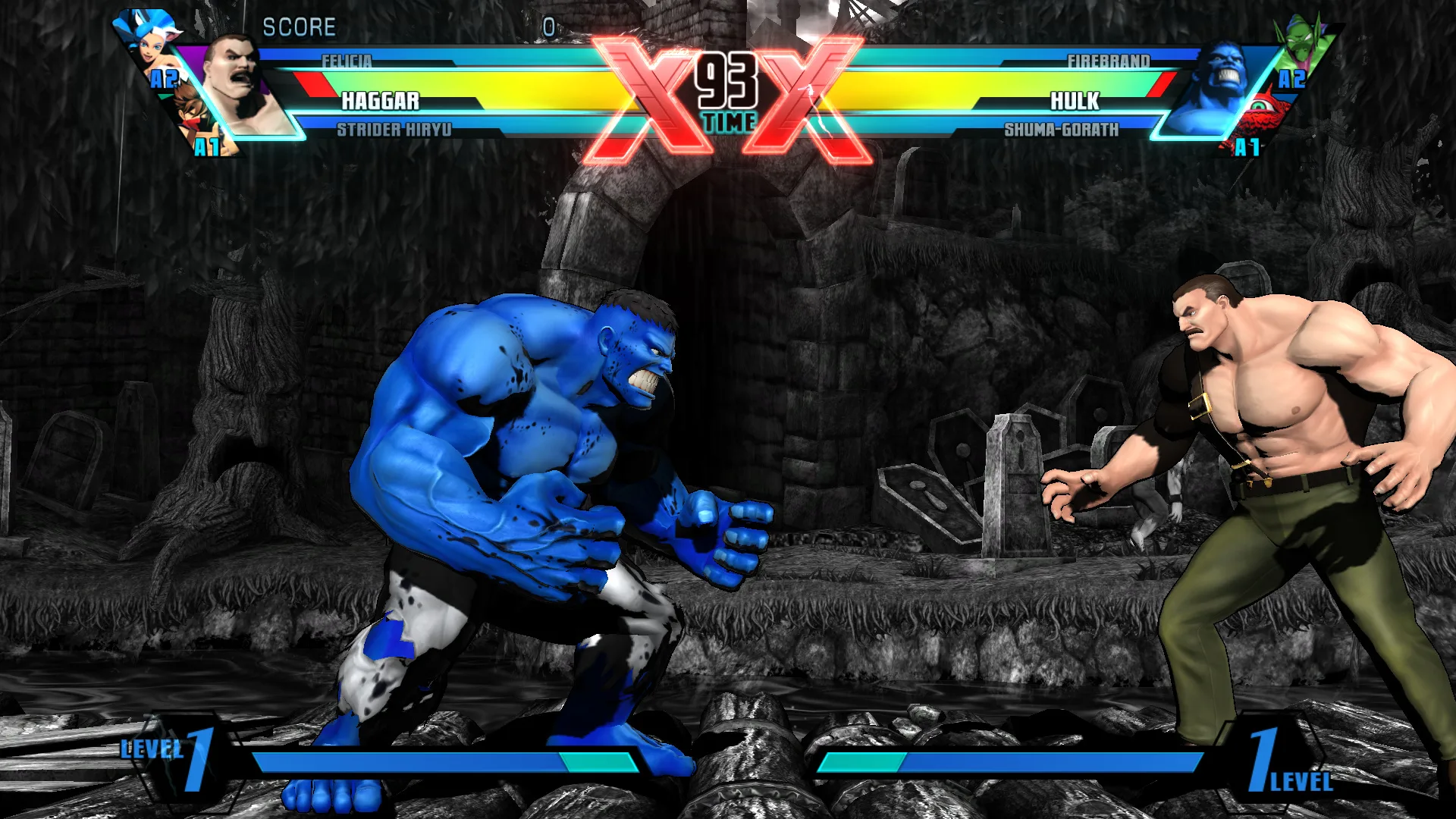
- Works: A compact HUD holds three characters per side
- Works: X-Factor pulses with urgency at the right moment
- Doesn't work: Three health bars, super and assists crowd the screen
- Doesn't work: No HUD customization or accessibility options
DNF Duel
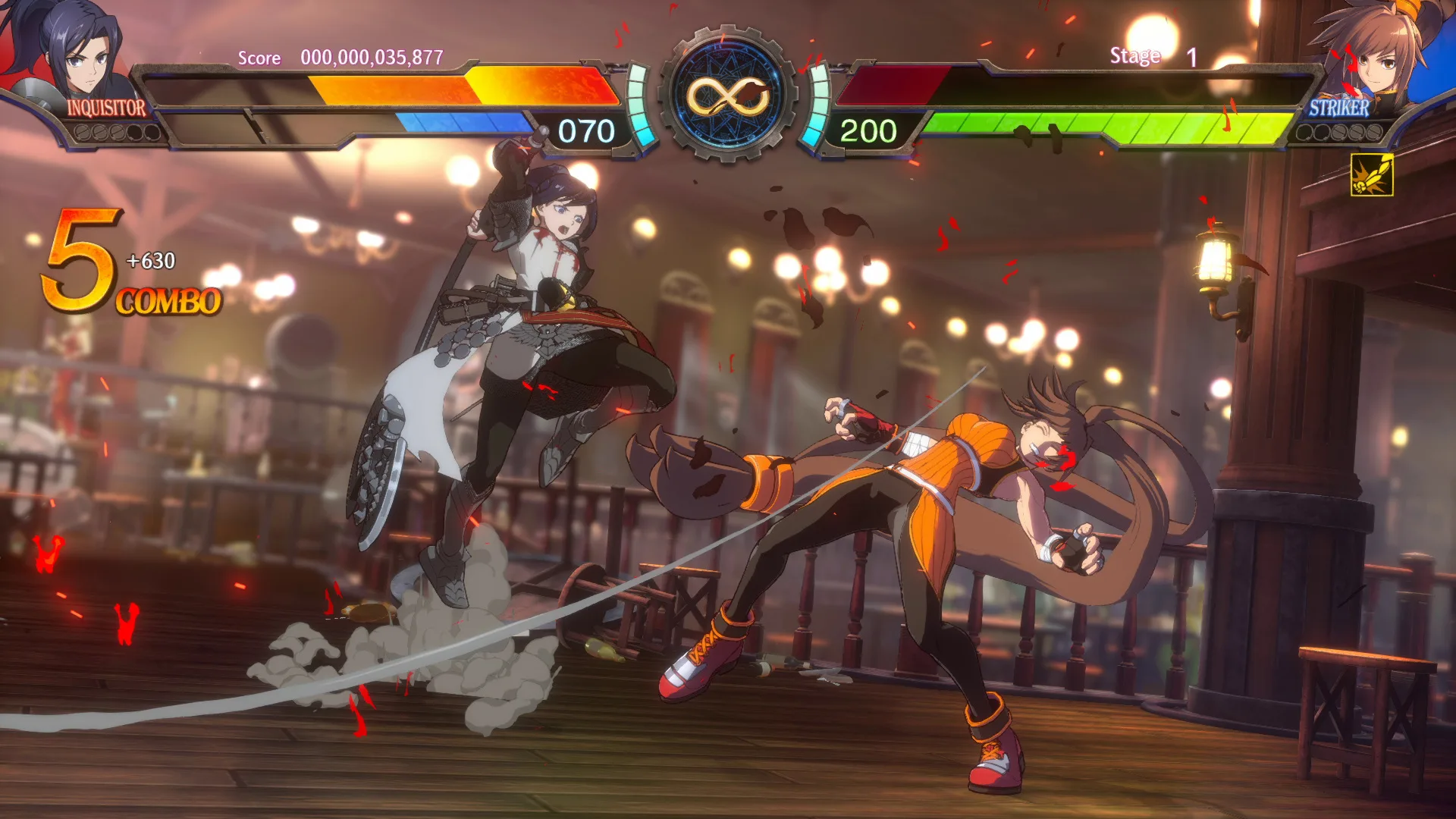
- Works: Skill effects never cover the health bar
- Works: Clear cooldowns for skill-based play
- Doesn't work: HP and MP look equally important
- Doesn't work: The round counter is hard to find
Mortal Kombat X
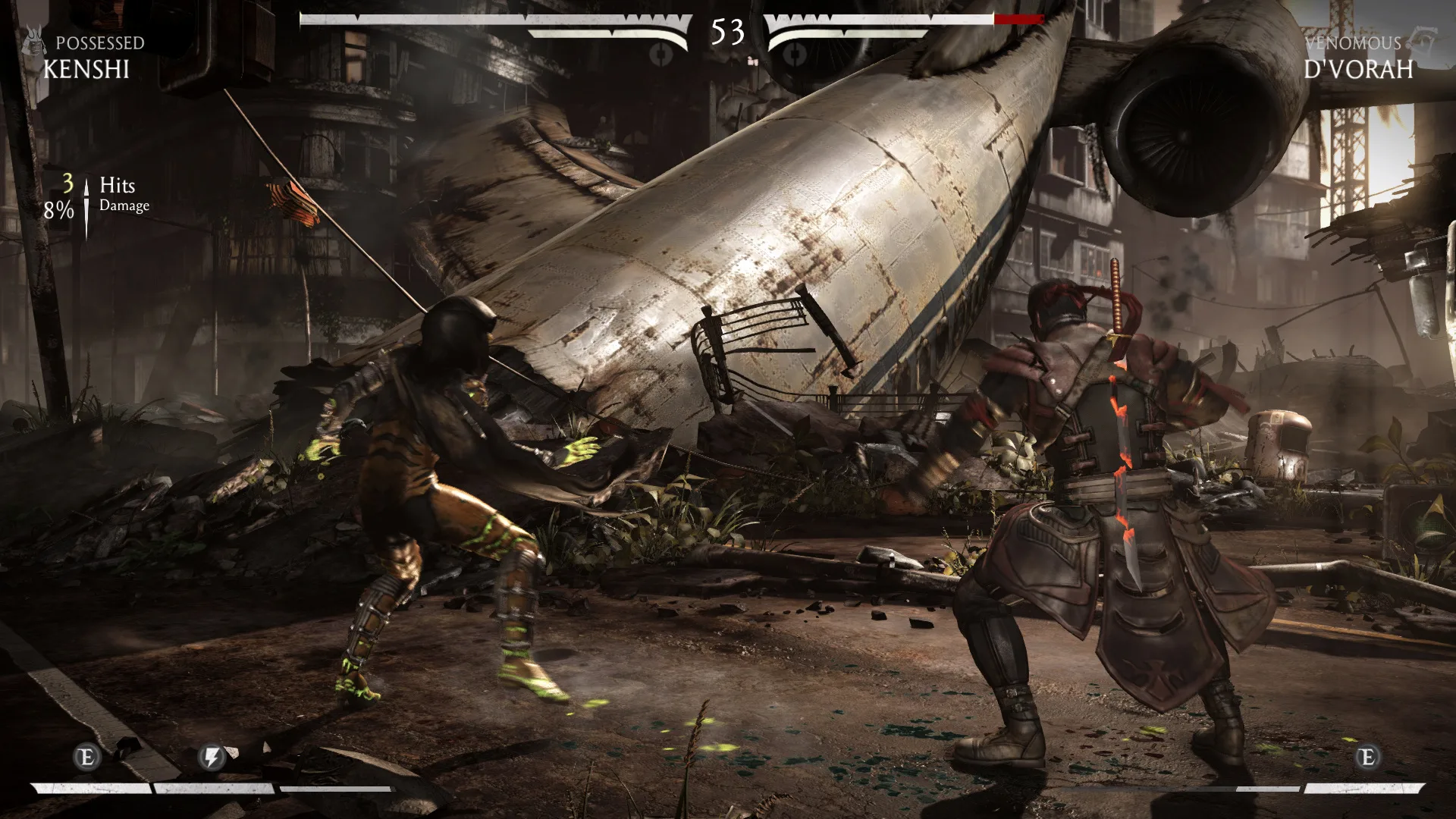
- Works: A segmented special meter instead of numbers
- Works: A minimal white HUD stands out from the stage
- Doesn't work: Dark stages swallow the characters
- Doesn't work: Secondary text, like move names, is set too small
Every weak point became a decision
- Problem (SF6 · MvC3): Too many meters on screen at once. Decision: Only three: health, super and stamina.
- Problem (DNF Duel): The HUD loses contrast on colorful stages. Decision: Black and white stages and a monochrome HUD.
- Problem (DNF Duel): HP and MP look like they do the same job. Decision: Health and special in different sizes, at opposite edges of the screen.
- Problem (DNF Duel): The round counter is hard to find. Decision: Rounds as lives, hearts that break when a round is lost.
- Problem (GGST): A spent bar looks like an available one. Decision: A bar that breaks and fades once it is spent.
- Problem (MKX): Small text is hard to read on small screens. Decision: An outlined frame around every text.
Personas
Three player profiles came out of the research, each with a different relationship with the genre.
Bruno, Casual player
24 · Marketing analyst
- Plays: On console, 3 to 5 times a week in short sessions, mostly against the CPU or friends on the couch.
- Wants: To understand what is happening on screen right away.
- Gives up when: The learning curve gets steep and the menus get complex.
Diego, Competitive player
29 · Software developer
- Plays: On PC with a fightstick, 2 to 4 hours a day between ranked and training mode.
- Wants: Clear technical information and a HUD he can trim down to the essentials.
- Gives up when: There is input delay or an inconsistent hitbox.
Camila, Artistic, single-player
27 · Freelance illustrator
- Plays: Story and arcade, alone, in long sessions. Unlocks every costume and artwork.
- Wants: A HUD and menus that carry the art direction without breaking immersion.
- Gives up when: The game pushes ranked, tier lists and frame data.
The HUD
From sketch to screen
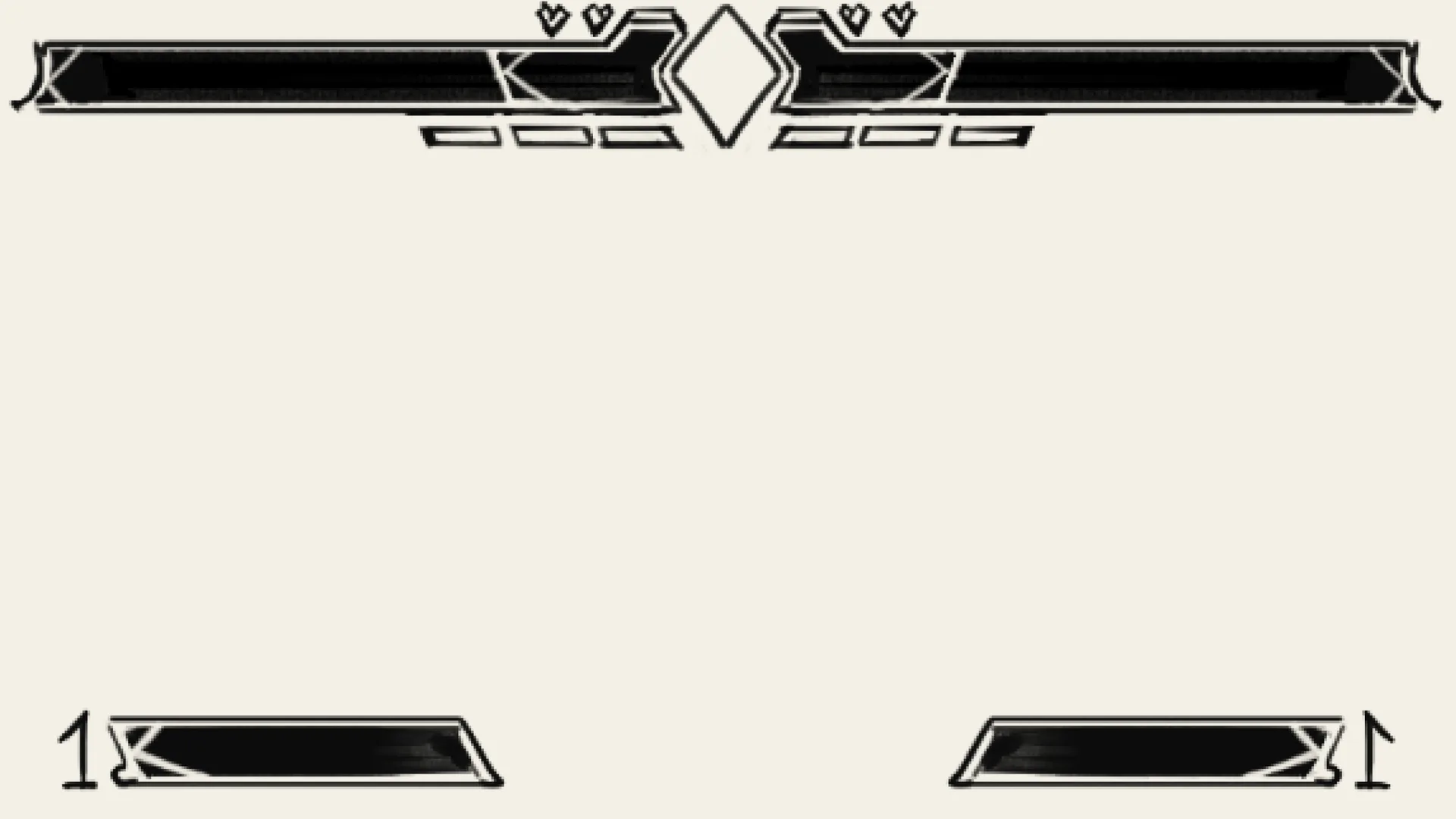
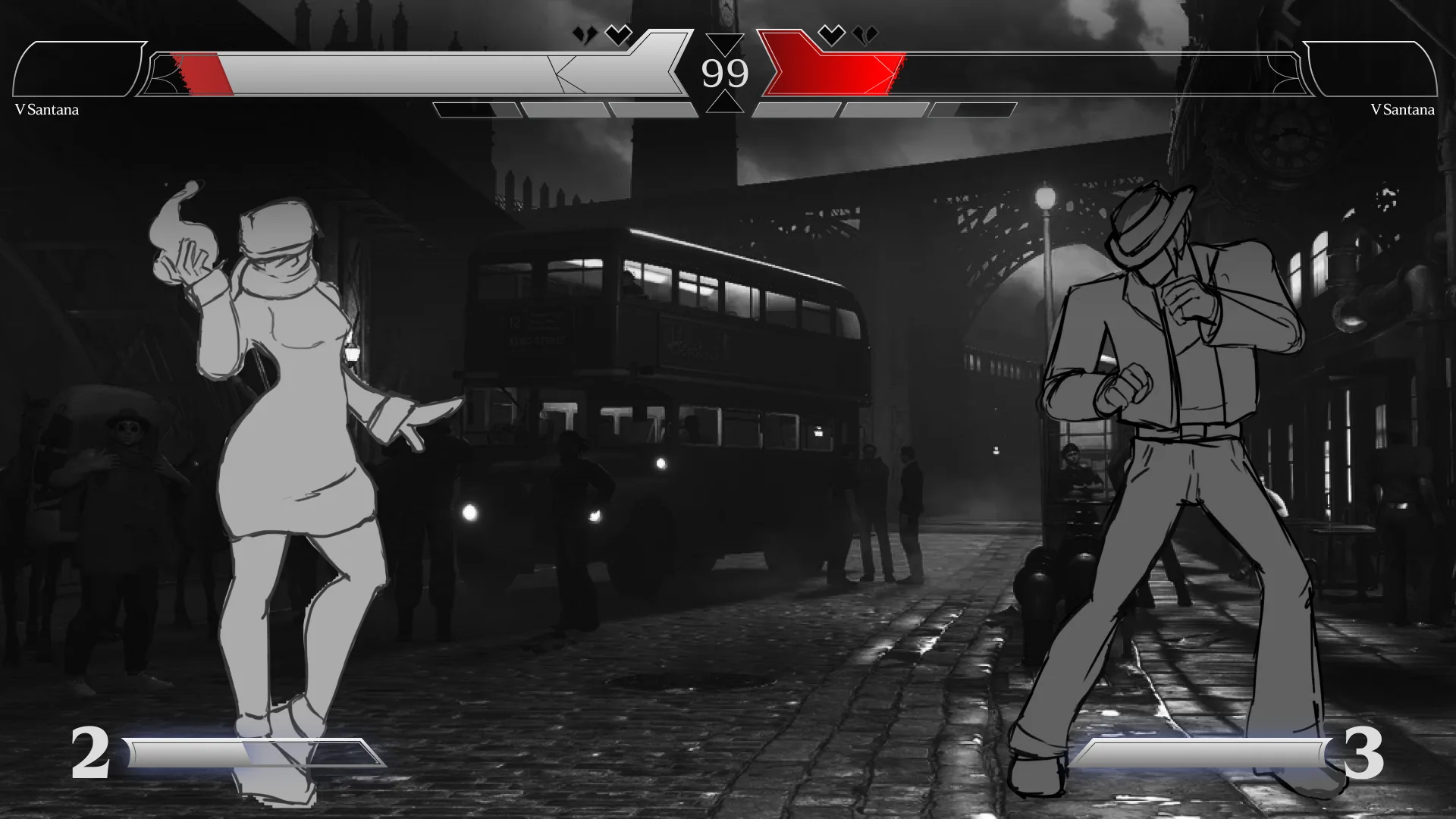
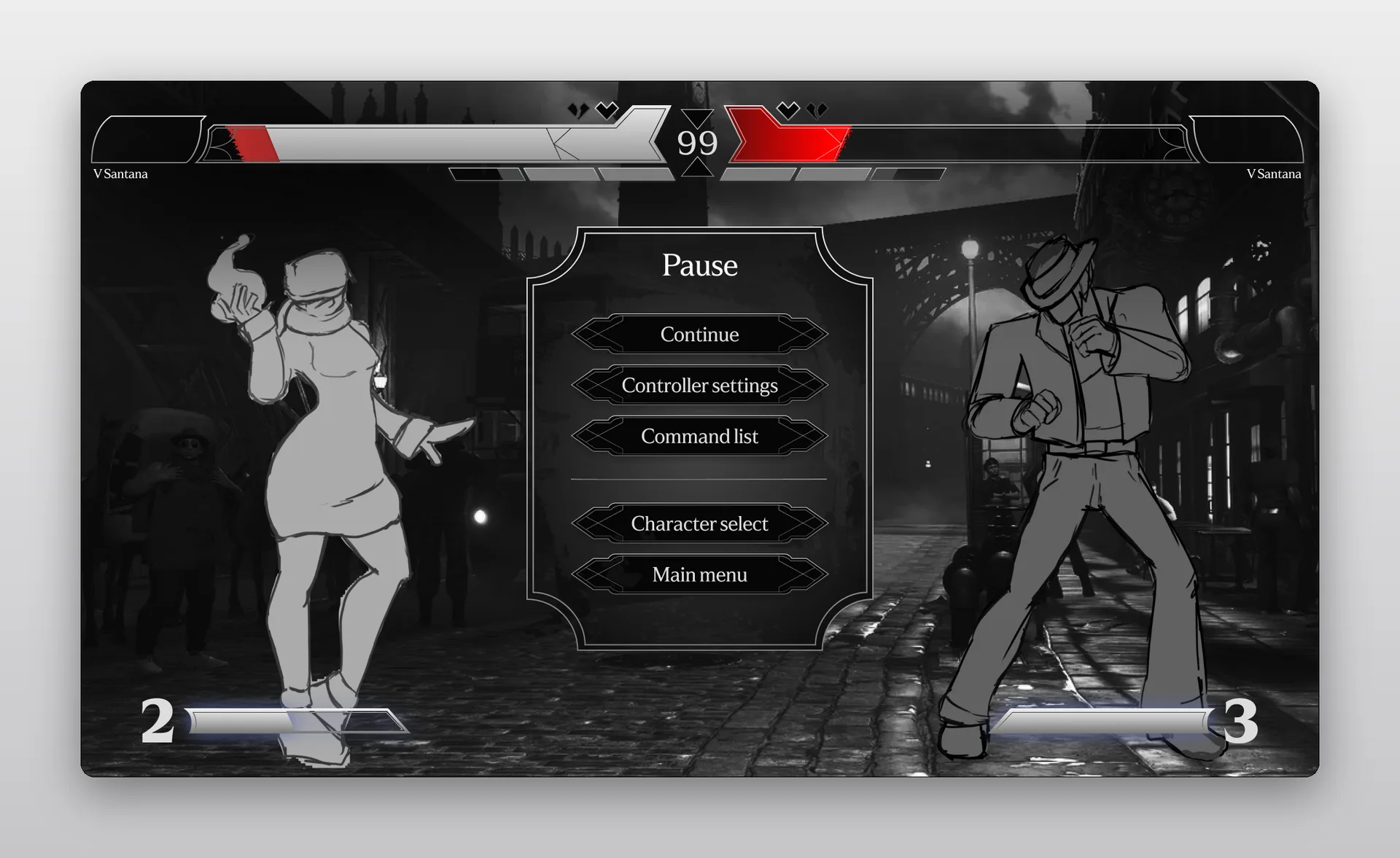
The stage in the background is taken from the London map in Street Fighter 6, turned black and white.
The hearts are the stocks, the round counter. Instead of counting the rounds a fighter has won, full hearts count the rounds they have survived without being defeated, which takes the dark theme even further.
When the health bar turns red, at one third, it unlocks the fighter's strongest special, as in Street Fighter 6.
The bar at the bottom is the Moonveil meter, spent on the fighters' paranormal abilities.
Components
Each element is a Figma component with its states, built on color and spacing tokens.
Health bar
Red at one third unlocks the strongest special




Player HUD and Moonveil meter

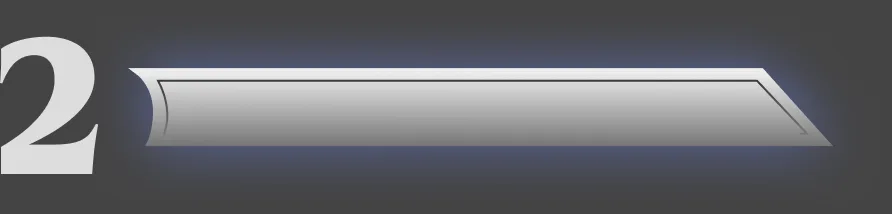
Menu button: an interactive simulation of the default, hover and pressed states.
Pause
Status
In progress.